Your route, in view
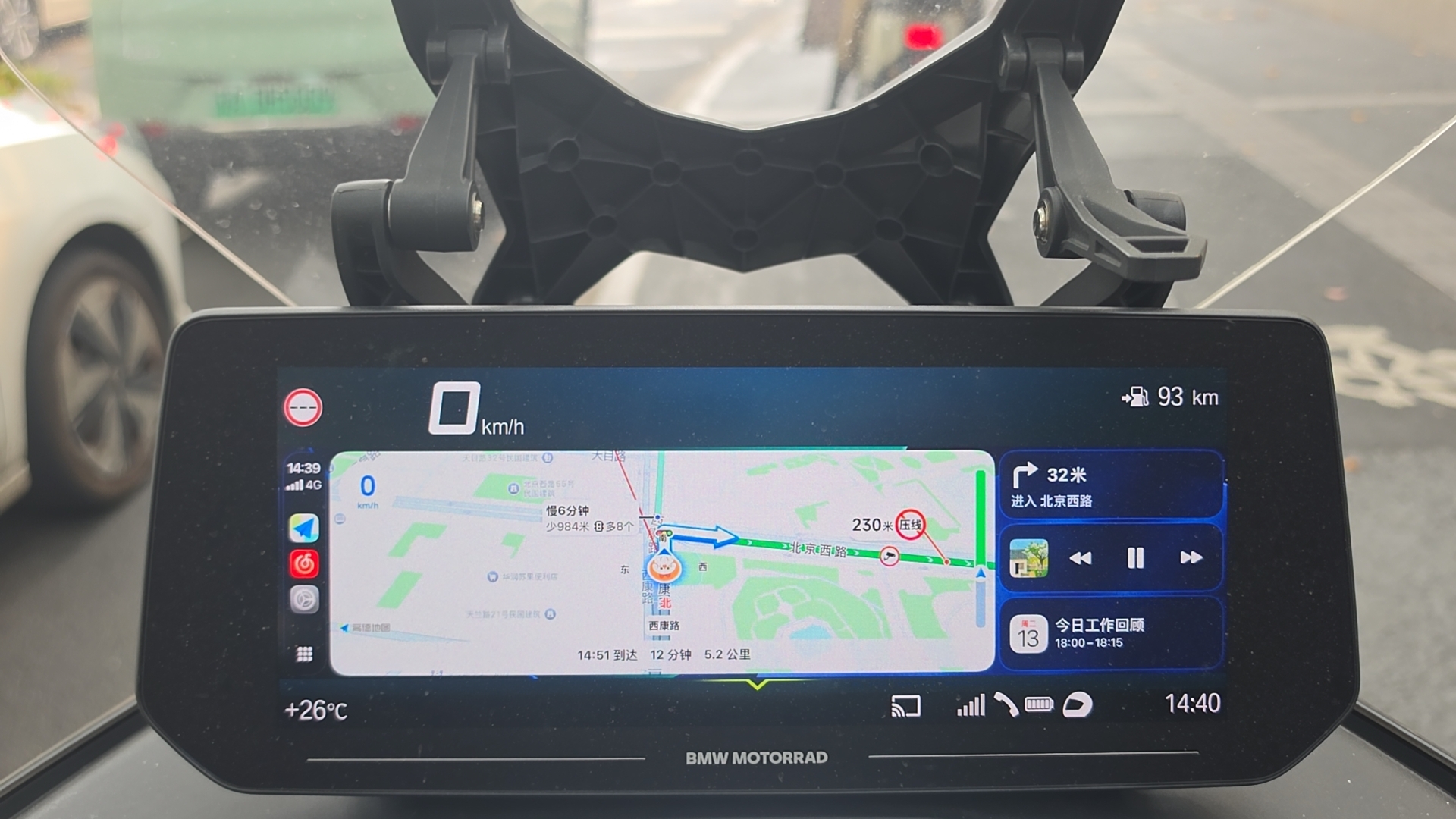
Maps and turn guidance on your motorcycle display make the next direction easier to see.
Bring your phone’s navigation to your motorcycle display.
Routes, music and traffic light countdowns, along for the ride.
Traffic light countdowns, right on your riding display.
From daily commutes to city rides, see the time at the next light.
SVG illustration based on real riding photos. Signals and countdowns are simulated; follow the actual traffic signals.
Real screens, on real motorcycles.
See Cast To Moto in everyday use.
Maps and turn guidance on your motorcycle display make the next direction easier to see.
See maps and music together, as shown in these real riding photos.
Connect your phone and display before you set off, then focus on the road.
Photos show actual use. Features and layouts depend on the app version and compatible devices.
Check compatibility, then follow the app’s instructions to connect while safely parked.
Choose the Android or iOS version for your phone.
Start hereCheck compatibility, then follow the app’s instructions to connect while safely parked.
Phone and bike, connectedCheck your route and display before setting off. Discover the scenery along the way.
Give every ride a directionKeep Cast To Moto in your pocket.
Bring your favourite routes into view.
Scan a QR code or use the download buttons on Android and iPhone.
Keep Cast To Moto in your pocket.
Google Play Scan to start your next rideScan with your Android phoneOpen Cast To Moto on Google Play, tap Install and follow the instructions.
Get Cast To Moto for your iPhone.
Open App Store Scan to start your next rideScan with your iPhone cameraScan with your iPhone camera to open the official Apple store.
Less wondering. More exploring.
Compatibility depends on your display, phone operating system and app version. The photos do not imply support for every motorcycle. Confirm device compatibility with the product team before installing.
Open Cast To Moto on Google Play, tap Install and follow the instructions.
On iPhone, open the App Store link or scan the QR code in the download section to get Cast To Moto. APK files are for Android.
Not necessarily. Maps, music, junction information and layouts can vary by phone, display, service and app version. The animated routes on this website are illustrations, not live navigation.
Park safely before connecting devices, setting a route or using the display. Stay focused while riding and follow road signs and traffic rules. Do not make riding decisions based on this demo.
Brand and screen size alone are not enough. BMW motorcycle navigation mirroring requires checking the motorcycle, display, firmware, phone operating system and app version. Some combinations may need additional connection hardware. These riding photos are examples, not a complete compatibility list.
This needs to be confirmed for the specific device combination. Android and iOS downloads are available here, but that does not mean the motorcycle already has CarPlay or Android Auto connectivity. Before installing, ask the product team to confirm the display protocol, required hardware, phone and app versions.
The photos show navigation maps, junction information and traffic light countdowns. Support for Amap or other map services, and countdown availability at individual junctions, depend on the phone app, local map data and motorcycle display. The website animation is a demonstration only.
Your route in view.Your passion on the road.
Ride with Cast To Moto